What is ChatGPT Ads
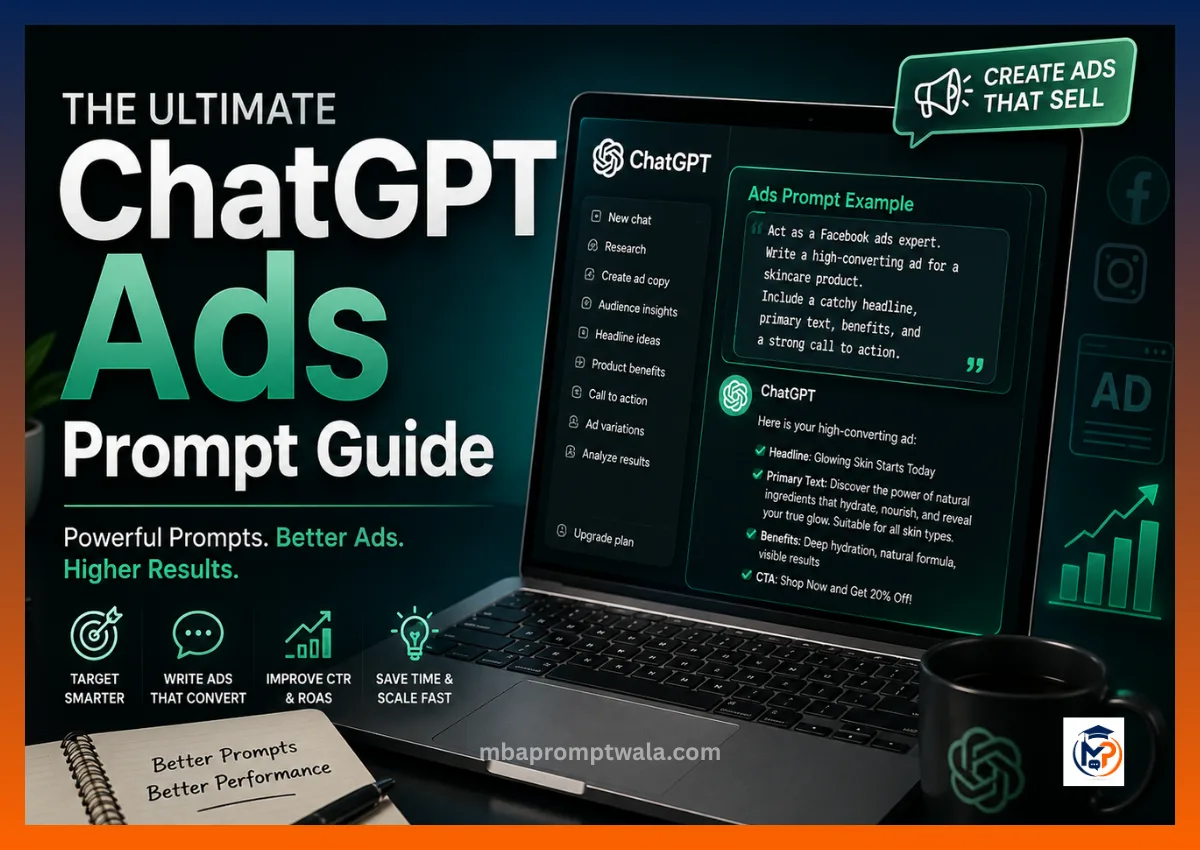
ChatGPT Ads is OpenAI’s ad format that shows sponsored cards inside a chat conversation, right after ChatGPT answers a question. A user asks something like “best garlic powder for cooking” and a sponsored card can appear next to or below the answer, with a headline, a short description, and a link.
It’s not a search results page and it’s not a social feed. The ad sits inside a conversation, so it has to read like part of the answer, not like a banner that interrupted it.
How ChatGPT Ads prompts work
You’re not writing one ad and hoping it fits. You’re writing prompts that generate copy, titles, descriptions, tracking links, and image briefs that all fit ChatGPT’s specific limits and tone.
A good ChatGPT Ads prompt does three things:
- States the exact limit (character count, format, size).
- States who’s asking and what they searched for.
- Tells the model what tone to avoid (usually “don’t sound like a banner ad”).
Skip any one of these and you get copy that looks fine in isolation but breaks once it’s inside the actual ad card.
ChatGPT Ads vs Google Ads vs Meta Ads
| ChatGPT Ads | Google Ads | Meta Ads | |
| Where it shows | Inside a chat answer | Search results page | News feed, Stories, Reels |
| Ad format | Sponsored card with title + description | Text ad with headlines and descriptions | Image or video with primary text |
| Trigger | Conversational query or follow-up | Keyword match | Interest, behavior, or lookalike audience |
| Title limit | 50 characters (many surfaces truncate near 23) | 30 characters per headline | No hard limit, but front 40 characters matter most |
| Description limit | 100 characters (often truncated near 48) | 90 characters | No hard limit, front-loaded text performs better |
| Best copy style | Answers a question directly | Matches search intent with keywords | Stops the scroll, visual-first |
| Tracking | Query parameters on the landing page | UTM parameters, Google Ads tags | Meta pixel, UTM parameters |
Best ChatGPT Ads prompts for sponsored card ad copy
Sponsored card copy fails most often when it reads like a headline ripped from a landing page instead of a reply that fits inside a chat. The fix is telling the model what conversation the ad is dropping into.
Prompt:
Write 3 sponsored card ad variations for [product] targeting [audience] on ChatGPT Ads. Each variation needs:
– A headline under 50 characters
– A description under 100 characters
– One clear call to action
Focus on [main benefit]. The tone should match a direct, useful answer inside a ChatGPT conversation, not a banner ad. Avoid generic claims like “best quality” or “amazing taste.”
Example (garlic powder):
Prompt filled in: Write 3 sponsored card ad variations for a 100g pure garlic powder jar targeting home cooks who ask ChatGPT for spice substitutes. Focus on no fillers and weekly grinding for freshness.
Output:
- Headline: Garlic Powder, No Fillers Added (28 characters) Description: Ground weekly from real garlic bulbs. Nothing added, nothing diluted. (71 characters) CTA: See the ingredient list
- Headline: One Ingredient: Garlic. That’s It. (35 characters) Description: Skip the anti-caking agents. Just pure garlic powder in every spoon. (72 characters) CTA: Try a jar
- Headline: Fresh-Ground Garlic Powder, Weekly (36 characters) Description: Small batches mean it never sits on a shelf for months. (58 characters) CTA: Order fresh
My first attempt was just “write ad copy for garlic powder.” ChatGPT gave me three lines that sounded like they belonged on a spice aisle poster: “Spice up your life with premium garlic powder!” It ignored character limits completely, one description ran to 140 characters, and none of it sounded like something that would show up after someone asked ChatGPT a real cooking question.
I refined it by adding the exact character limits, naming the audience (home cooks, not “everyone”), and adding one line telling it to avoid sounding like a banner ad. That last instruction did the most work. Once I said “match a direct answer inside a chat, not an ad,” the exclamation marks and generic claims disappeared on their own.
Best ChatGPT Ads prompts for ad title generation (under 50 characters, not truncated at 23)
Titles get cut off in two different places depending on where the card renders. Some surfaces show the full 50 characters, others cut around 23. The safe move is writing titles that make sense even if only the first 23 characters show.
Prompt:
Generate 10 ad titles for [product] for ChatGPT Ads. Rules:
– Each title must be 50 characters or fewer
– Print the exact character count in parentheses after each title
– The first 23 characters alone must make sense as a standalone phrase, in case the title gets cut there
– No exclamation marks, no ALL CAPS
Example (garlic powder):
- Garlic Powder, No Fillers (26)
- Pure Garlic Powder Jar (23)
- Real Garlic, Ground Fresh (26)
- Single Ingredient Garlic (25)
- Garlic Powder, USA Sourced (27)
- Weekly Ground Garlic Powder (28)
- No Additives Garlic Powder (28)
- Garlic Powder for Home Cooks (29)
- 100% Garlic, Nothing Else (26)
- Fresh Garlic Powder Jar (24)
Each one reads fine cut at “Garlic Powder, No” or “Pure Garlic Powder” because the product name sits in the first few words.
The first version of this prompt only said “titles under 50 characters.” ChatGPT wrote titles that were technically under 50 but averaged 61 to 64 characters once I actually counted them by hand. Worse, several buried the important part (“USA Sourced,” “No Additives”) at the end, so when the card cut off early inside the chat, the claim disappeared and all that showed was “Garlic Powder for.”
I fixed it two ways. First, I told the model to print the character count next to every title so I could catch overflow without counting manually. Second, I added the rule that the first 23 characters need to stand alone, which forced it to move the key claim to the front instead of the end.
Best ChatGPT Ads prompts for ad description generation (under 100 characters, not truncated at 48)
Same problem as titles, worse consequences. A description that gets cut at 48 characters mid-sentence looks broken, not just short.
Prompt:
Write 8 ad descriptions for [product] for ChatGPT Ads. Rules:
– Each description must be 100 characters or fewer
– Print the character count after each one
– Structure each description so the main benefit appears in the first 48 characters, since some surfaces cut there
– Write full sentences, not sentence fragments
Example (garlic powder):
- Pure garlic powder, no fillers. Ground weekly for real flavor. (66)
- Single ingredient garlic powder your recipes can trust. (58)
- No anti-caking agents. Just garlic, ground fresh each week. (61)
- Real garlic flavor without the fillers other brands add. (59)
- One ingredient, one jar: 100% pure garlic powder. (51)
- Ground fresh weekly so your spice rack never goes stale. (58)
- Skip the fillers. This garlic powder is garlic, period. (57)
- Home cooks trust this jar for one reason: it’s just garlic. (62)
Read the first 48 characters of any line above and the benefit is already there.
Here the mistake was different from the title problem. ChatGPT wrote descriptions where the CTA or a weaker detail came first and the actual benefit landed at the end, something like “Order now and taste the difference with our garlic powder.” Cut at 48 characters, that reads as “Order now and taste the difference with our,” which tells the reader nothing.
I added the instruction to put the main benefit inside the first 48 characters specifically, not just to keep the whole line under 100. That one change flipped the sentence order in every output, benefit first, CTA or extra detail after.
Best ChatGPT Ads prompts to manage your ChatGPT Ads Manager campaigns
Campaign management prompts fail when they’re too open-ended. “Help me manage my campaigns” gets you generic advice. Feeding it your actual numbers gets you an actual plan.
Prompt:
I run a ChatGPT Ads campaign for [product]. Current setup:
– Daily budget: [amount]
– Number of ad groups: [number]
– Current CTR: [percent]
– Goal: [goal, e.g. more clicks, lower cost per click, more conversions]
Suggest a campaign structure with ad group names, how to split the budget across them, and one change I should test this week based on the numbers above.
Example (garlic powder):
Prompt filled in: I run a ChatGPT Ads campaign for garlic powder. Current setup: $15 daily budget, 2 ad groups, 1.8% CTR, goal is more clicks at a lower cost.
Output:
Ad group structure:
- Ad group 1: “Garlic Powder – Cooking Substitute” (targets people asking about spice swaps)
- Ad group 2: “Garlic Powder – Ingredient Quality” (targets people asking about additives or fillers)
Budget split: $9 to ad group 1, $6 to ad group 2, since substitute questions tend to have higher intent to buy something today.
This week’s test: your CTR of 1.8% is below the category average of around 2.5%. Test 2 new titles in ad group 1 that lead with “No Fillers” instead of “Pure,” since specific claims usually beat vague quality claims in this format.
My first prompt was “help me manage my chatgpt ads campaigns for garlic powder.” The response was a list of general tips: check your budget regularly, test different ad copy, monitor performance. None of it was wrong, but none of it was usable either, since it didn’t know my budget, my current CTR, or how many ad groups I had.
I refined it by feeding the actual numbers directly into the prompt and asking for specific outputs: ad group names, a dollar split, one test. Once the model had real numbers to react to, it stopped giving advice and started giving a plan I could act on the same day.
Best ChatGPT Ads prompts to generate landing page query parameters for ChatGPT Ads tracking
This is the prompt people get wrong most often, because it’s easy to end up with parameter names that look fine but don’t match what your analytics tool actually reads.
Prompt:
Generate landing page query parameters for tracking a ChatGPT Ads campaign for [product]. Requirements:
– Use standard UTM parameter names recognized by Google Analytics 4 (utm_source, utm_medium, utm_campaign, utm_content, utm_term)
– utm_source should be “chatgpt”
– utm_medium should be “cpc”
– Give me 3 full example URLs using [landing page URL], one for each ad variation I’m testing
Example (garlic powder):
Base URL: https://findgarlicpowder.com/shop
- https://findgarlicpowder.com/shop?utm_source=chatgpt&utm_medium=cpc&utm_campaign=garlic_powder_launch&utm_content=no_fillers_headline&utm_term=garlic_substitute
- https://findgarlicpowder.com/shop?utm_source=chatgpt&utm_medium=cpc&utm_campaign=garlic_powder_launch&utm_content=single_ingredient_headline&utm_term=spice_quality
- https://findgarlicpowder.com/shop?utm_source=chatgpt&utm_medium=cpc&utm_campaign=garlic_powder_launch&utm_content=fresh_ground_headline&utm_term=fresh_spices
The first version just asked “generate query parameters for tracking my chatgpt ad.” ChatGPT invented its own parameter names, things like ?src=chatgptad&camp=garlic1, which looked reasonable but Google Analytics 4 doesn’t recognize automatically the way it recognizes utm_source and utm_medium. I would have had to build custom tracking just to read data that GA4 already tracks for free with the right names.
I fixed it by naming the exact parameter set GA4 expects and locking utm_source and utm_medium to fixed values, so every URL it generates plugs straight into existing reports without extra setup.
Best ChatGPT Ads prompts to write image briefs for ChatGPT Ads (256×256 minimum square format)
This prompt writes a brief for a designer, not the image itself. The most common failure is a brief written for a wide banner when the format is a small square.
Prompt:
Write an image brief for a ChatGPT Ads sponsored card image for [product]. Requirements:
– Square format, 256×256 pixels minimum, so nothing important can sit in the far corners or edges
– The product needs to be recognizable at small size, since the card renders small inside a chat
– No large blocks of text on the image, since the headline and description already carry the text
– Describe background, product placement, and lighting in plain language a designer can follow
Example (garlic powder):
Output:
Format: 256×256 square, product centered, roughly 60% of the frame.
Background: Plain warm beige or light wood surface, no clutter, no props competing for attention.
Product placement: The garlic powder jar stands upright, front label facing the camera, centered both horizontally and vertically so nothing important sits within 20 pixels of any edge.
Lighting: Soft, even light from the front left, no harsh shadows that would hide the label at small size.
Text on image: None. The headline and description already do that job, and small text on a 256×256 image usually becomes unreadable once it’s compressed.
I first asked for “an image brief for a garlic powder ad.” What came back described a wide horizontal layout: product on the left, a bowl of garlic cloves on the right, a text banner across the bottom. That’s a Meta or Google Display Ads layout, not a 256×256 square card. If a designer had built that, the product would’ve been cropped out entirely once the image got squeezed into a square thumbnail.
I refined it by stating the exact pixel dimensions and adding a rule against putting anything important near the edges. The revised brief centered the product and dropped the second prop entirely, since there wasn’t room for two focal points in a small square.
Best ChatGPT Ads prompts to identify conversational intent triggers for your ChatGPT Ads
This prompt asks for the actual sentences someone might type into ChatGPT before an ad could reasonably appear, not search-engine style keywords.
Prompt:
List 10 full-sentence questions or statements someone might type into ChatGPT that show buying intent for [product category]. Write them as real conversational sentences, not short keyword phrases like you’d use in Google Ads. Group them by intent: research stage, comparison stage, and ready-to-buy stage.
Example (garlic powder):
Research stage:
- “What’s a good substitute for fresh garlic when I’m out of it?”
- “Does garlic powder lose flavor if it sits in the pantry too long?”
Comparison stage: 3. “What’s the difference between garlic powder and granulated garlic?” 4. “Is it worth paying more for garlic powder without additives?” 5. “Which garlic powder brands don’t add anti-caking agents?”
Ready-to-buy stage: 6. “Where can I buy pure garlic powder with no fillers?” 7. “Can you recommend a garlic powder that’s just one ingredient?” 8. “I need a garlic powder that works for meal prep, any suggestions?” 9. “What garlic powder do home cooks actually recommend?” 10. “Is there a garlic powder brand that ships fresh, not stale?”
My first attempt asked for “keywords that show buying intent for garlic powder.” The output looked like a Google Ads keyword list: “buy garlic powder,” “garlic powder online,” “best garlic powder.” Those work for search engine matching, but nobody types those exact fragments into a chat conversation. ChatGPT Ads shows up after real sentences, not keyword strings.
I rewrote the prompt to ask for full conversational sentences and added the three intent stages so the list wasn’t just 10 versions of the same question. That structure also made it obvious which triggers belonged early in a campaign (research stage, softer copy) versus late (ready-to-buy stage, direct CTA).
Best ChatGPT Ads prompts for ad variations and A/B testing
An A/B test only tells you something if one variable changes at a time. Most people accidentally ask for variations that change three things at once, then can’t tell what caused the result.
Prompt:
Write 2 sponsored card variations for [product] that test ONE variable: [variable, e.g. benefit-led vs price-led headline]. Keep everything else identical: same description, same CTA, same character limits. Only the part being tested should change. Label which variable each version tests.
Example (garlic powder):
Variable being tested: benefit-led headline vs. ingredient-led headline.
Version A (benefit-led): “Fresher Flavor Than Old Jars” (29 characters) Version B (ingredient-led): “Just Garlic. Nothing Else.” (27 characters)
Both versions: Description: “Ground weekly from real garlic. No fillers, no anti-caking agents.” CTA: “Shop the jar”
Only the headline angle changed. If Version B outperforms, you know the ingredient claim beats the freshness claim for this audience, without guessing which of three changed elements did it.
I first asked for “5 variations to test for garlic powder ads.” ChatGPT gave me 5 ads where the headline, description, and CTA were all different from each other. When I imagined running all 5, there’d be no way to know if a winning ad won because of its headline, its description, or its CTA. It would’ve been 5 different ads competing, not a test.
I rewrote the prompt to name one specific variable and told it to hold everything else identical. That forced actual pairs I could test cleanly instead of a pile of unrelated ad ideas.
Best ChatGPT Ads prompts for improving ad performance
This only works if you feed it real numbers. Ask without numbers and you get advice that could apply to any product in any category.
Prompt:
Here’s my current ChatGPT Ads performance for [product]:
– CTR: [percent]
– Average cost per click: [amount]
– Top performing headline: [headline]
– Weakest performing headline: [headline]
Based only on these numbers, tell me what’s likely wrong with the weak headline and give me 3 replacement headlines that fix that specific issue.
Example (garlic powder):
Prompt filled in: CTR: 1.4%. Cost per click: $0.62. Top headline: “Just Garlic. Nothing Else.” (2.6% CTR). Weakest headline: “Premium Quality Garlic Powder” (0.7% CTR).
Output:
The weak headline uses “premium quality,” a claim that doesn’t say anything specific. The top headline works because it makes a concrete claim (single ingredient) instead of a vague quality claim. Replacement headlines that keep the concrete-claim pattern:
- “No Anti-Caking Agents Added” (28 characters)
- “One Ingredient: Real Garlic” (28 characters)
- “Ground Weekly, Never Stale” (27 characters)
The first version of this prompt was just “how do I improve my garlic powder ad performance.” Without any numbers, ChatGPT gave back the standard checklist: test different headlines, refine your targeting, use a strong call to action. True, but not specific to my actual ad.
Feeding it the real CTR numbers and the actual top and weak headline text changed the output completely. Instead of general tips, it diagnosed why the weak headline underperformed (a vague claim versus a specific one) and gave replacements that matched the pattern of what was already working.
Best ChatGPT Ads prompts for analyzing campaign data
Pasting a wall of numbers as plain sentences confuses the model about which number is which. A labeled table fixes that.
Prompt:
Here’s my ChatGPT Ads campaign data as a table:
| Ad Group | Impressions | Clicks | CTR | Cost Per Click |
|—|—|—|—|—|
[paste your rows here]
Before analyzing, restate what each column means in one line. Then tell me which ad group is the best performer, which is the worst, and one specific action for the worst one.
Example (garlic powder):
| Ad Group | Impressions | Clicks | CTR | Cost Per Click |
| Substitute Search | 4,200 | 92 | 2.2% | $0.58 |
| Ingredient Quality | 3,800 | 41 | 1.1% | $0.71 |
Output:
Column meaning: Impressions is how many times the ad showed, Clicks is how many people clicked, CTR is clicks divided by impressions, Cost Per Click is total spend divided by clicks.
Best performer: Substitute Search, with double the CTR and a lower cost per click than Ingredient Quality.
Worst performer: Ingredient Quality, at 1.1% CTR.
Action: The Ingredient Quality ad group is likely leading with a claim (additive-free, no fillers) that matters less to this audience than the freshness angle working in Substitute Search. Test one headline in Ingredient Quality that leads with freshness instead of additives, and compare CTR after a week.
I pasted the campaign numbers as a sentence the first time: “my substitute search group got 4200 impressions and 92 clicks, ingredient quality got 3800 impressions and 41 clicks.” ChatGPT mixed up which number was which at one point and referred to Ingredient Quality as the stronger group, which was backwards.
Putting the same numbers into a labeled table, and asking it to restate what each column meant before analyzing, fixed the mix-up. Making it repeat the column definitions first caught confusion before it turned into a wrong conclusion.
Common mistakes to avoid when using ChatGPT Ads prompts
- Skipping character limits in the prompt itself. Asking for “short” titles isn’t the same as asking for “50 characters or fewer, with the count printed after each one.”
- Writing keyword-style prompts when ChatGPT Ads runs on conversational queries. A Google Ads keyword list and a ChatGPT Ads intent list aren’t the same thing.
- Asking for performance advice without giving real numbers. Vague input gets vague output, every time.
- Requesting an image brief without stating the format. A brief written for a wide banner won’t work for a 256×256 square card.
- Testing 5 things at once and calling it an A/B test. Change one variable, keep the rest identical, or you won’t know what caused the result.
- Using UTM parameter names the model made up instead of the standard GA4 set. Custom names mean building tracking from scratch instead of using what analytics tools already read.
How to build your own ChatGPT Ads prompt template
Every prompt in this guide follows the same shape. Once you see it, you can write your own for any part of a ChatGPT Ads campaign.
[Task]: What exactly do you want written or generated?
[Constraints]: Character limits, format, size, required elements
[Audience]: Who is this for, and what are they asking ChatGPT when the ad shows up?
[Tone rule]: What should this NOT sound like? (usually: not a banner ad, not a keyword list, not generic marketing copy)
[Output format]: How should the answer be structured? (numbered list, table, character counts included)
Fill that in for garlic powder, running shoes, or accounting software and the shape doesn’t change, only the details do. The prompts in this guide that worked best all followed this order: task first, hard constraints second, audience third, tone rule fourth, format last. Prompts that skipped the constraints or the tone rule are the ones that needed a second pass to fix.
Resources
ChatGPT Ads Help Center: OpenAI’s full collection of setup, campaign, and measurement guides for advertisers.
Ads | OpenAI Developers: Technical documentation for the Advertiser API, measurement pixel, and conversions API.
GA4 URL Builders: Collect Campaign Data With Custom URLs: Google’s own reference for building UTM-tagged tracking links that GA4 reads correctly.